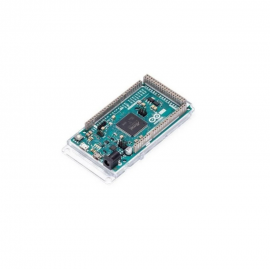
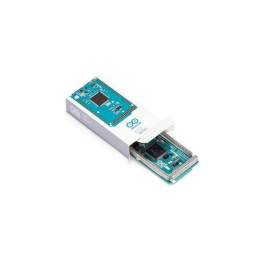
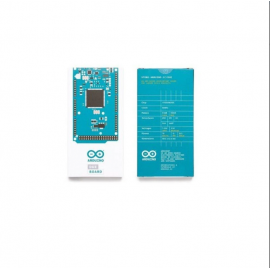
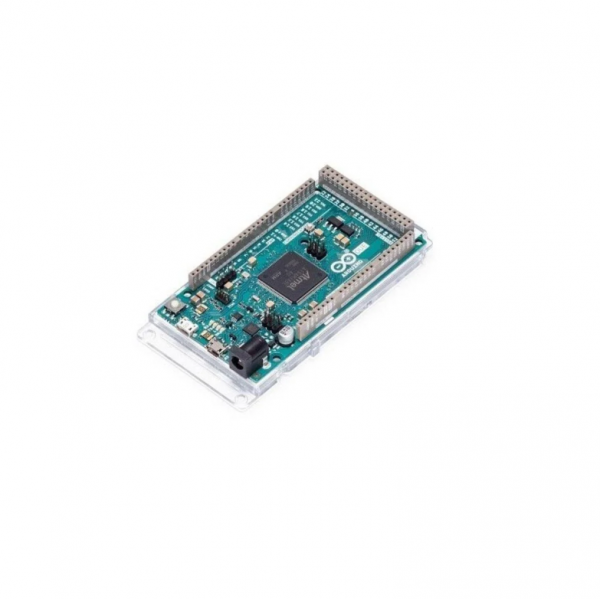
Official Arduino Due - 32-bit ARM Cortex-M3 Microcontroller Board
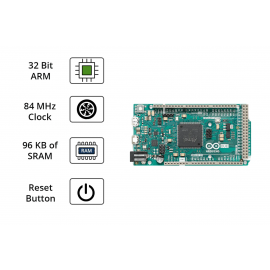
Unleash the power of 32-bit computing with the Official Arduino Due - Arduino's first board based on a 32-bit ARM core microcontroller. Featuring the AT91SAM3X8E ARM Cortex-M3 processor running at 84 MHz, massive memory, true analog outputs (DAC), and USB OTG capability, the Due is designed for advanced projects that demand more processing power, memory, and I/O than traditional Arduino boards can provide.
IMPORTANT: 3.3V Logic Level
Unlike most Arduino boards, the Arduino Due operates at 3.3V.
The maximum voltage that ANY I/O pin can tolerate is 3.3V. Applying 5V to any pin WILL DAMAGE the board permanently. Always verify that sensors, modules, and shields are 3.3V compatible, or use appropriate level shifters.
Why Choose Arduino Due?
The Arduino Due bridges the gap between simple microcontroller projects and professional embedded systems. With its 32-bit ARM architecture, it offers the performance needed for complex calculations, high-speed data acquisition, audio processing, and real-time control applications - all while maintaining the familiar Arduino programming environment.
Key Features
Powerful 32-bit ARM Processor
- AT91SAM3X8E - ARM Cortex-M3 core microcontroller
- 84 MHz Clock Speed - 5x faster than Arduino Uno
- 32-bit Architecture - Enhanced processing capabilities
- Hardware FPU - Fast floating-point calculations
- DMA Controller - Efficient memory operations
Massive Memory Capacity
- 512 KB Flash Memory - 16x more than Arduino Uno
- 96 KB SRAM - 48x more than Arduino Uno
- Run Complex Programs - Space for large codebases
- Store Large Datasets - Buffer extensive sensor data
Extensive I/O Capabilities
- 54 Digital I/O Pins - Abundant connectivity options
- 12 PWM Outputs - Precise motor and LED control
- 12 Analog Inputs - High-resolution 12-bit ADC
- 2 DAC Outputs - TRUE analog output (unique feature!)
- 4 Hardware UARTs - Multiple serial connections
True Analog Output (DAC)
- 2x 12-bit DAC Channels - Generate real analog signals
- Audio Synthesis - Create actual sound waveforms
- Signal Generation - Precise voltage output
- Not PWM-based - True analog, not filtered PWM
Advanced USB Connectivity
- USB OTG Capability - Act as USB host or device
- Programming Port - Standard upload via ATmega16U2
- Native USB Port - Direct ARM chip connection
- USB Host Mode - Connect keyboards, mice, MIDI devices
Technical Specifications
| Microcontroller |
| Chip |
AT91SAM3X8E (ARM Cortex-M3) |
| Architecture |
32-bit ARM |
| Clock Speed |
84 MHz |
| Flash Memory |
512 KB |
| SRAM |
96 KB (64 KB + 32 KB) |
| Power |
| Operating Voltage |
3.3V |
| Input Voltage (Recommended) |
7-12V DC |
| Input Voltage (Limits) |
6-20V DC |
| DC Current per I/O Pin |
130 mA (total all pins) |
| I/O Pins |
| Digital I/O Pins |
54 (12 with PWM) |
| Analog Input Pins |
12 (12-bit ADC) |
| Analog Output Pins (DAC) |
2 (12-bit DAC) |
| PWM Outputs |
12 |
| Communication |
| UART |
4 hardware serial ports |
| I2C/TWI |
2 interfaces |
| SPI |
1 dedicated header |
| USB |
2 ports (Programming + Native OTG) |
| Physical |
| Dimensions |
101.52 x 53.3 mm |
| Weight |
36 grams |
| USB Connector |
Micro-USB (2 ports) |
Perfect For Advanced Applications
3D Printing & CNC
- High-speed stepper control
- Complex motion calculations
- G-code processing
- RAMPS/RAMBo compatible
Robotics
- Real-time control loops
- Multiple motor control
- Sensor fusion
- Fast PID algorithms
Audio Projects
- True analog audio output (DAC)
- Audio synthesis
- MIDI devices
- Sound effects generation
Data Acquisition
- High-speed ADC sampling
- Multi-sensor monitoring
- Real-time data logging
- Scientific instruments
Comparison: Arduino Due vs Arduino Uno
| Feature |
Arduino Due |
Arduino Uno |
| Architecture |
32-bit ARM |
8-bit AVR |
| Clock Speed |
84 MHz (5x faster) |
16 MHz |
| Flash Memory |
512 KB (16x more) |
32 KB |
| SRAM |
96 KB (48x more) |
2 KB |
| Digital I/O |
54 pins |
14 pins |
| Analog Inputs |
12 pins |
6 pins |
| DAC (True Analog Out) |
2 channels |
None |
| USB OTG |
Yes |
No |
| Operating Voltage |
3.3V |
5V |
| Best For |
Advanced Projects |
Beginners |
What's Included
- 1x Official Arduino Due Board (A000062)
- Pre-installed bootloader
- Documentation access
Note: USB cable is typically NOT included. You will need a micro-USB data cable (not charge-only) to program the board. A 7-12V DC power supply is recommended for projects requiring more current than USB can provide.
What You Need to Get Started
- Micro-USB Cable - Data cable (not charge-only) for programming
- Arduino IDE - Version 1.5 or later (free download)
- Computer - Windows, Mac, or Linux
- Power Supply - 7-12V DC adapter (optional, for higher current needs)
- 3.3V Compatible Components - Or level shifters for 5V devices
Programming the Arduino Due
- Install Arduino IDE: Download version 1.5 or later from arduino.cc
- Connect Board: Use micro-USB cable to the Programming Port
- Select Board: Tools → Board → Arduino Due (Programming Port)
- Select Port: Tools → Port → (Your COM port)
- Upload: Write your code and click Upload
Understanding the Two USB Ports
Programming Port
Connected via ATmega16U2 chip
- Use for uploading sketches
- Standard Arduino programming
- Serial Monitor communication
- Automatic reset on upload
Native USB Port
Connected directly to ARM chip
- USB OTG features
- Act as USB host
- USB HID devices
- MIDI applications
Shield Compatibility
The Arduino Due is compatible with shields designed for the Arduino 1.0 pinout standard that operate at 3.3V. Due to its 3.3V logic levels, NOT all Arduino shields are compatible.
Compatible Shields:
- Shields designed for 3.3V operation
- Many WiFi and Bluetooth shields
- SD card shields (most work at 3.3V)
- RAMPS boards (for 3D printing)
- Shields with level shifters built-in
Check Before Connecting:
- Verify shield operates at 3.3V logic
- Check I/O voltage requirements
- Use level shifters when needed
- Never apply 5V to Due pins
Frequently Asked Questions
Q: Can I use my existing Arduino shields with the Due?
A: Only 3.3V compatible shields. Most standard 5V Arduino shields will DAMAGE the Due. Always verify voltage compatibility or use level shifters.
Q: Why does the Due have two USB ports?
A: The Programming Port (via ATmega16U2) is for uploading code like standard Arduinos. The Native USB Port connects directly to the ARM chip, enabling USB OTG features like acting as a USB host.
Q: Is the Due good for beginners?
A: The Due is more suitable for users with some Arduino experience. Beginners should start with Arduino Uno and transition to Due for advanced projects.
Q: What can I do with the DAC outputs?
A: The 2 DAC channels provide true analog output (not PWM). You can generate actual audio waveforms, precise voltage signals, and analog control signals without external hardware.
Q: Can the Due act as a USB keyboard or mouse?
A: Yes! Using the Native USB port and appropriate libraries, the Due can emulate USB HID devices like keyboards and mice.
Q: Is the Due compatible with 3D printer firmware?
A: Yes! The Due is popular for 3D printer applications with firmware like Marlin and RepRapFirmware due to its processing power and I/O capabilities.
Q: What's the difference between Due and Mega?
A: Due has a 32-bit ARM processor (faster, more memory, DAC, USB OTG, 3.3V). Mega uses an 8-bit AVR (5V, broader shield compatibility). Choose Due for performance, Mega for compatibility.
Official Arduino Quality
- Genuine Arduino Product - Authentic A000062 board
- 1 Year Warranty - Full manufacturer warranty
- Premium Components - Quality assured manufacturing
- Full Documentation - Comprehensive resources at Arduino.cc
- Community Support - Active Arduino forum community
- Regular Updates - Ongoing IDE and library support
Why Buy from CrazyPi.com?
- 100% Official Arduino Product - Genuine boards, not clones
- Full Manufacturer Warranty - 1 year Arduino warranty
- Expert Technical Support - We know Arduino inside and out
- Fast India Shipping - Quick delivery across the country
- Secure Packaging - Static-safe packaging for electronics
- Best Prices - Competitive pricing for genuine products
- Bundle Discounts - Save on complete project kits
Complete Project Bundles Available!
Get everything you need to start your advanced Arduino project. We offer starter bundles, robotics kits, 3D printer controller packages, and audio project kits - all with compatible 3.3V components and accessories.
Technical Resources
- Official Documentation: docs.arduino.cc/hardware/due
- Datasheet: Available at Arduino.cc
- Schematics: Open-source, available online
- Pinout Diagrams: Full pin mapping documentation
- Example Sketches: Built into Arduino IDE
Elevate Your Projects with 32-bit ARM Power
Buy Official Arduino Due at CrazyPi.com - India's trusted source for genuine Arduino boards and accessories.